
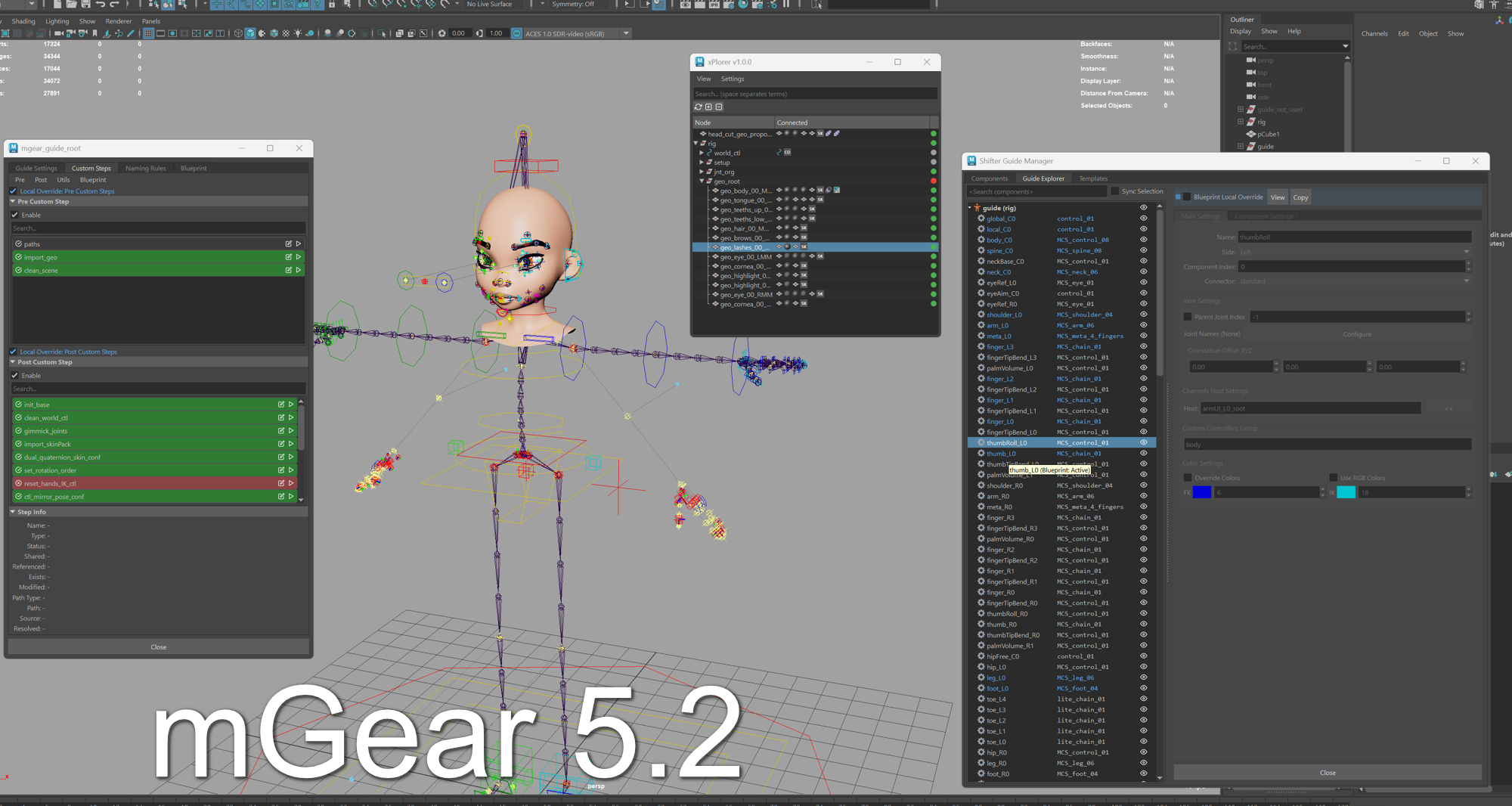
mGear 5.2: Blueprint Guides, Custom Steps 2.0, and Comprehensive Improvements Across the Framework
January 2026 — The mGear development team is thrilled to announce the release of mGear 5.2, a major update to the open-source rigging framework for Autodesk Maya. This release introduces powerful new features for pipeline standardization and workflow efficiency, along with improvements across rigging, animation tools, performance, and documentation.
Headline Features
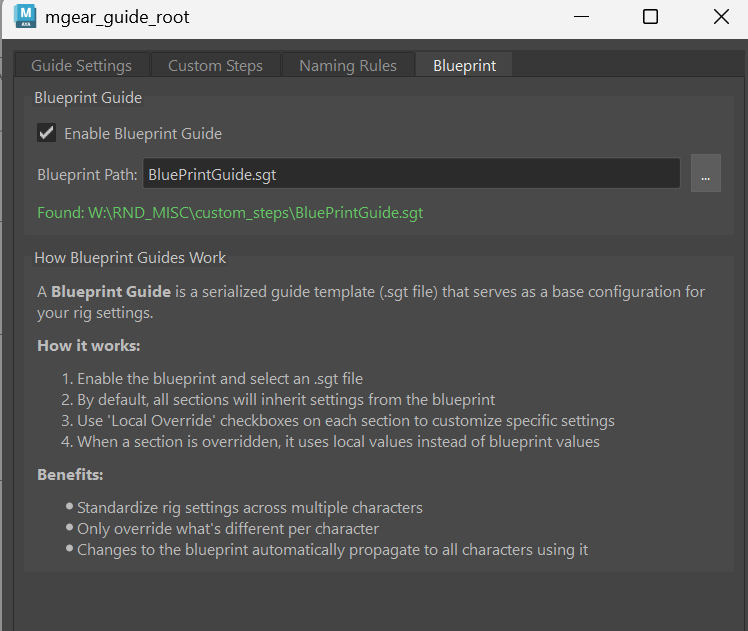
Blueprint Guide System
The new Blueprint Guide feature enables studios to define standardized rig settings that can be shared across multiple characters. With per-section and per-component local override support, technical directors can establish studio-wide standards while giving riggers the flexibility to customize where needed. The Guide Explorer now includes color coding for instant blueprint status visualization.
Custom Steps UI 2.0
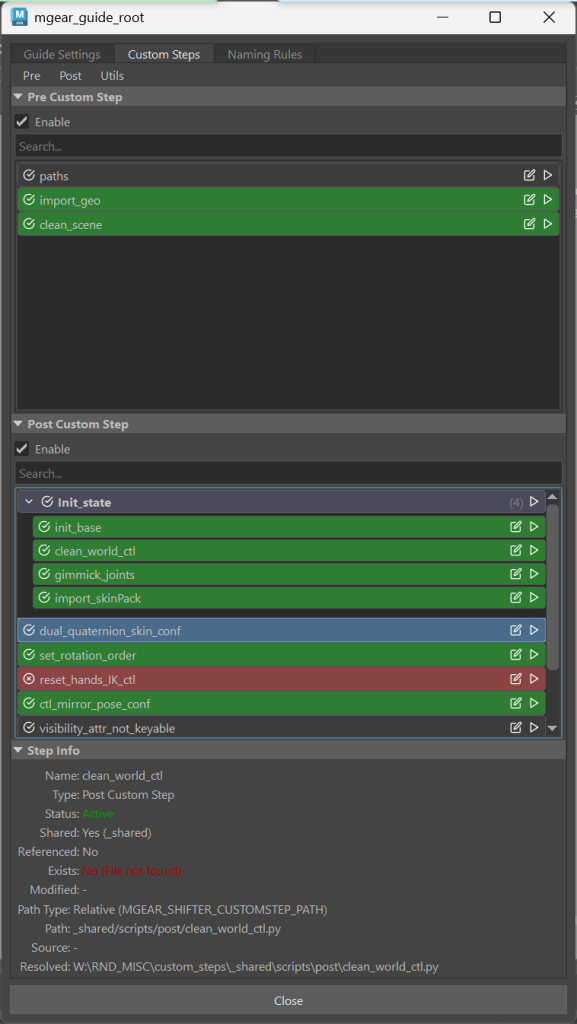
A complete overhaul of the Custom Steps interface brings modern workflow enhancements:
- Drag and drop reordering of custom steps
- Collapsible sections and custom step groups for better organization and configuration references inside custom steps
- Multi-selection support for batch operations
- Config I/O to JSON for easy sharing and version control
- Template selection dialog with pre-built templates for common tasks including Import Skin Pack, RBF Config, SDK Config, Eye Rigger Config, and more
Guide Explorer & Guide Tools
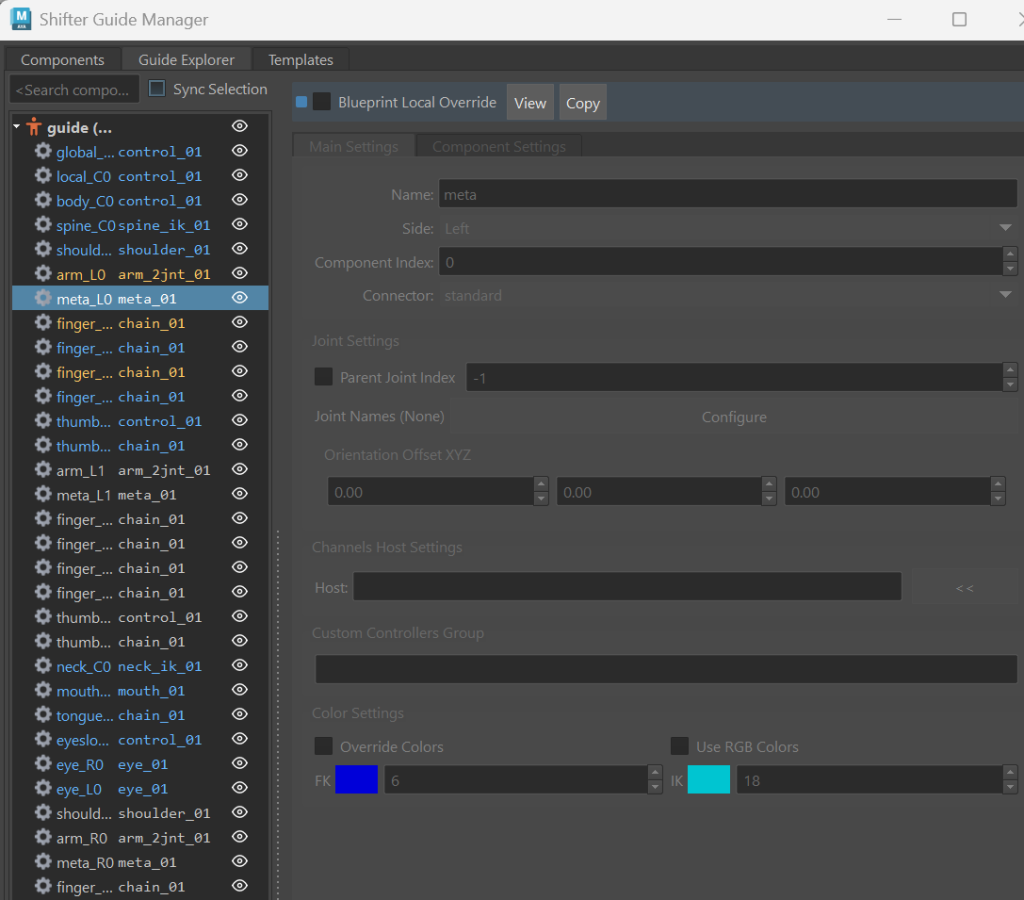
New Guide Explorer and Guide Tools provide an intuitive interface for navigating and manipulating complex rig hierarchies, making guide management faster and more visual than ever.
xPlorer Utility
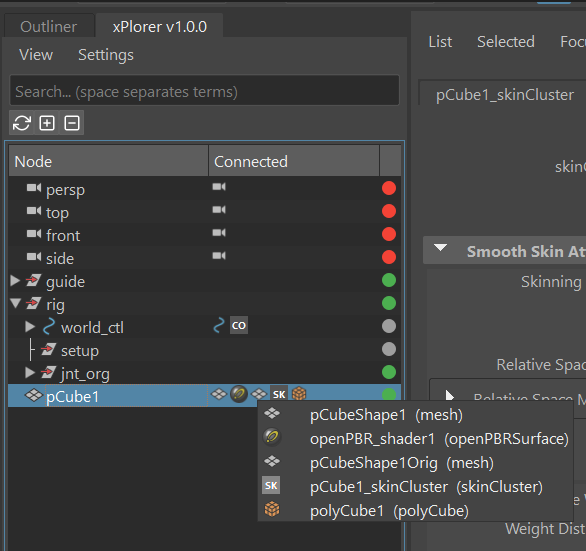
The new xPlorer tool is an alternative to Maya’s Outliner, inspired by Softimage XSI Explorer, Cinema 4D, and Blender’s Outliner. It offers multi-selection, visibility toggle, attribute editor, search functionality, and arrow navigation for streamlined scene exploration.
Rigbits & Animation Tools
- Eye Rigger 2.1: Simplified option
- SDK Manager: Complete modernization with independent channel selection (X, Y, Z axis checkboxes), custom transform drivers, and full documentation
- RBF Manager: Custom naming support for RBF setups with improved validation
- HumanIK Mapper: New Batch Bake to Timeline button for faster mocap workflows
Shifter Components & Dynamics
- Spring_Gravity_01 and chain_spring_01: General improvements with mirror behavior support
- EPIC arm/leg 02: New options to configure swing and twist of the first joint
- lite_chain_01: Mirror behavior added
- UPV Visualization polish for Arm/Leg guides
- Position and point connectors added to shifter components
Build Performance & Workflow
- Build speed optimization for faster rig generation
- Cancel build mechanism — press ESC to abort builds in progress
- Settings UI refactor: Now human-editable and supports subclassing for component variants
- Updated Shifter templates with better UE descriptions and EPIC-only mannequin templates
Core Improvements
- Pickwalk now works on Shifter Guides and supports joints and other object types
- Channel Master: Updated UI logic for slider sync behavior
- PyMaya: Multiple enhancements including getRange() method and improved sets member queries
Documentation
This release includes comprehensive user documentation for Shifter Modular rigging system.
Bug Fixes
Version 5.2 addresses numerous stability issues including control_01 orientation connector, 3jnt leg flip, EPIC component fixes, UE 5.6 Metahuman compatibility, and Python/PySide version compatibility.
Acknowledgments
A heartfelt thank you to all the contributors who submitted pull requests for this release. mGear thrives because of its passionate community, and these contributions—whether new features, bug fixes, or documentation improvements—make the framework better for everyone. Your time and expertise are deeply appreciated.
Availability
mGear 5.2 is available now as a free download from the official mGear GitHub repository under the MIT license.
Links:
- GitHub Download: https://github.com/mgear-dev/mgear/releases
- Documentation: https://mgear4.readthedocs.io/en/master/
- Full Release Log: https://mgear4.readthedocs.io/en/master/releaseLog.html
