
mGear 5.4.0: Facial Rigger 3.0, Anim Picker 2.0 and builds twice as fast
mGear 5.4.0 is out. It is one of the largest releases we have shipped: a new facial rigging system, Anim Picker 2.0, new animation tools, a rebuilt Spring Manager, a set of deformer import/export tools, and Shifter builds that run about twice as fast.
mGear supports Maya 2022 to 2027, and as always it is free and open source. Download it from GitHub.
Facial Rigger 3.0
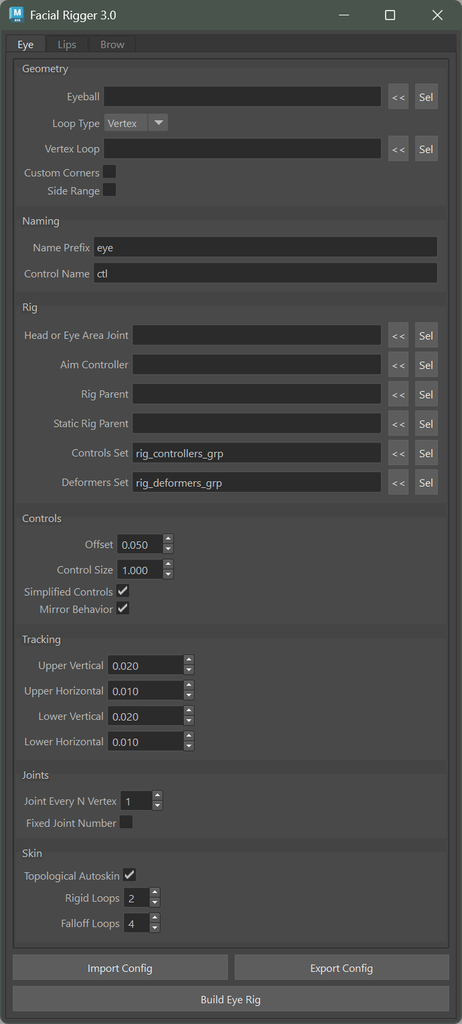
The Eye, Lips and Brow riggers have been rewritten on a shared facial engine. They share one window, one way of picking geometry and one config format.
- Eye Rigger 3.0: vertex loop input, any eye orientation, mirrored right side controls and
.eyesconfig import/export. - Lips Rigger 3.0: automatic upper and lower lip detection, jaw follow, zipper, lip roll and
.lipsconfigs. - Brow Rigger 3.0: one brow per build with a center brow hooked to the sides, squeeze, secondary controls and an optional slide surface that follows the skull shape.
Each rigger also ships as a Shifter component, so the facial rig builds with the rest of the character: eyelid_01, lips_01 and brow_01.
Eye Rigger 2.1 stays available and also gets bug fixes, so existing rigs keep building as before.
Anim Picker 2.0
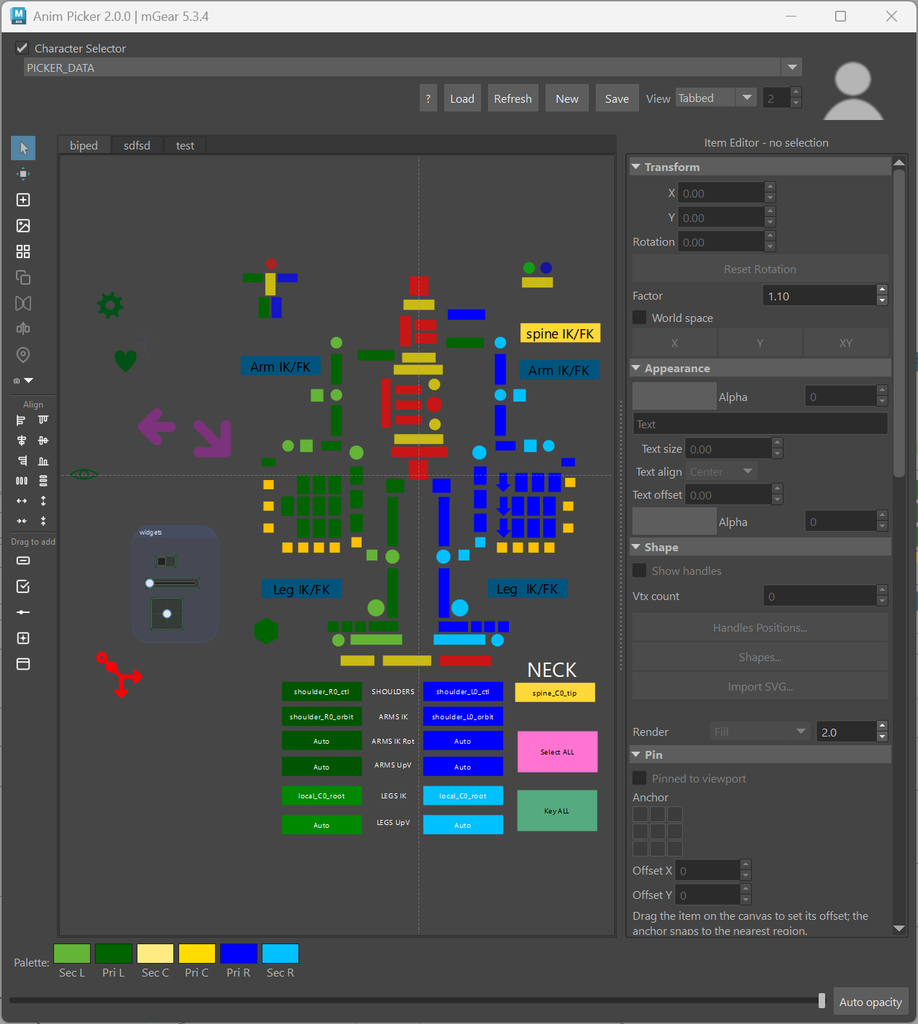
Anim Picker 2.0 first shipped as a preview in 5.3.5. With 5.4.0 it is part of a full release, so here is a proper introduction. The picker has been rebuilt with a new editor and many new kinds of items.
- Editor: move, scale and rotate handles on the canvas, a docked panel that edits the whole selection at once, align, distribute and spacing tools, and undo/redo with keyboard shortcuts.
- Vector items: real curved shapes. Import
.svgfiles, or draw and edit them in the new SVG editor with path tools, booleans and layers. You can also convert polygons to vectors and export SVG. - Interactive widgets: checkboxes and 1D and 2D sliders bound to Maya attributes or scripts.
- Trace from selection: build one silhouette button per selected control, colored from the control.
- Mirror pairs and color palette: link left and right items so edits mirror in real time, and color an item and its partner in one click.
- Shape library: premade shapes (gear, face, hand, foot, arrows and more) that you can drag onto the canvas, plus your own saved shapes.
- Layout: backdrops, layered tab backgrounds with no size limit, screen capture as a background layer, drag to reorder tabs, and a view that shows all tabs at once in a grid, rows or columns.
- Pinned HUD buttons that keep their screen position while you pan and zoom.
- Conditional visibility: show items only when a channel passes a test or within a zoom range, and toggle groups of items with a checkbox.
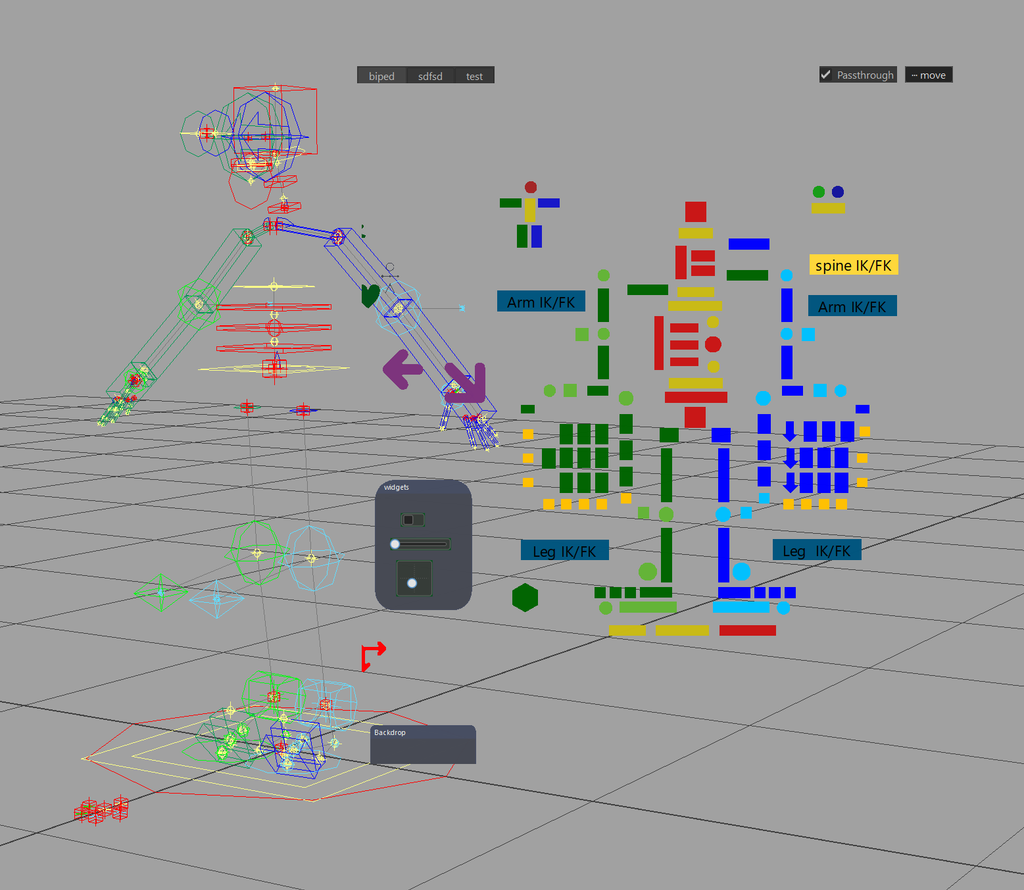
- Passthrough mode turns the floating picker into a click-through overlay on the viewport.
- Dockable as a Maya workspace control, with high-DPI support and autosave reminders.
Picker data is now stored as clean JSON, and older pickers are migrated when you open them. See the Anim Picker documentation for the full guide.
New tools for animators
Animbits Hub is a hotkey overlay that puts the everyday tools under your cursor. It has tween sliders (tween, blend to default, mirror or a stored pose, push/pull) and key tools (nudge keys, copy/paste world pose, temp pivot). They work on the selection and on your bookmarks.
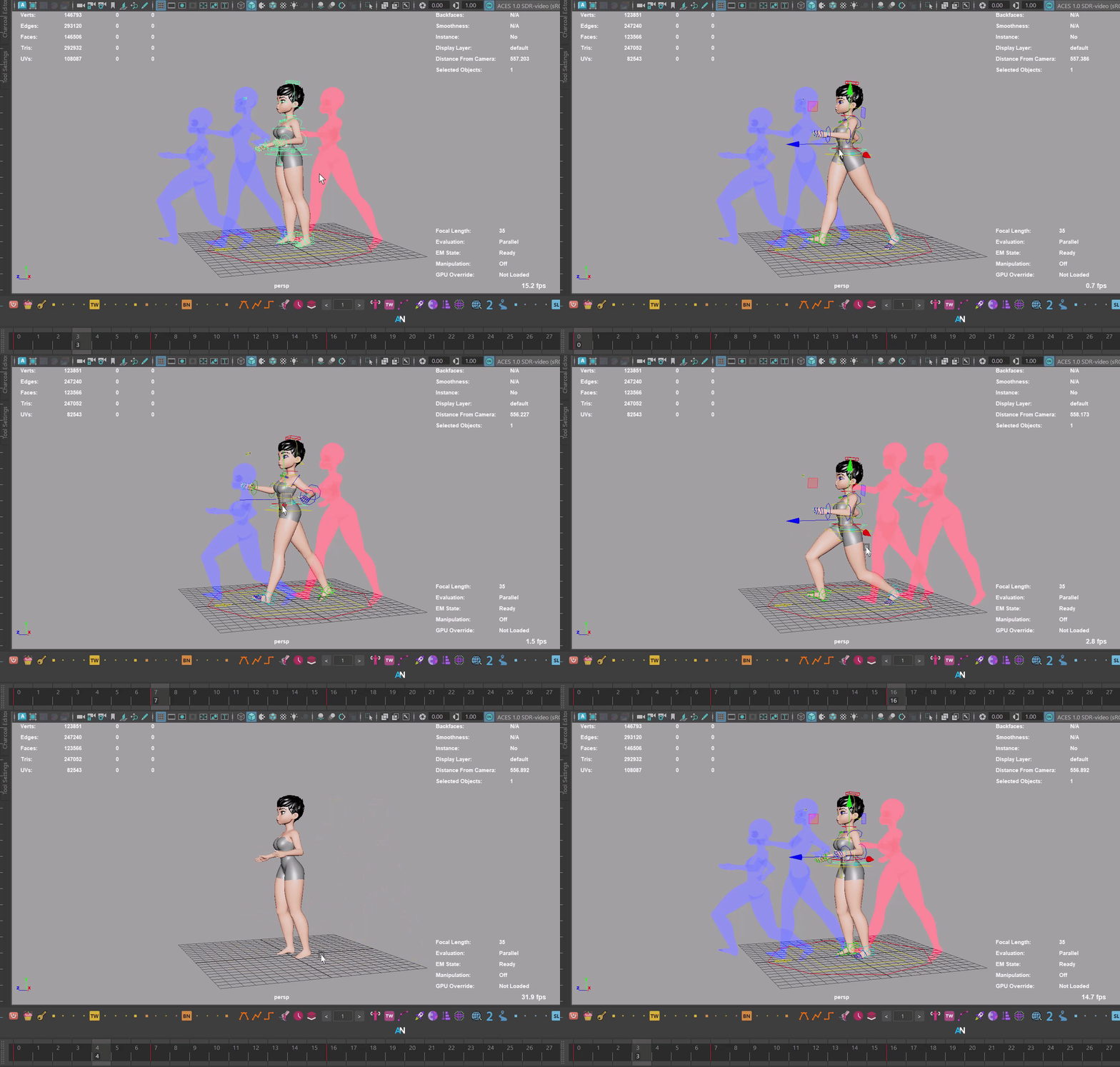
Blocking Ghosts shows semi-transparent ghosts of the character at each keyframe of the controls you watch. The ghosts update as you change keys, which makes spacing in blocking easy to read.
Bookmarks have moved from Utilbits to the Animbits menu. You can middle-click a bookmark to key it, and the last namespace is remembered.
Spring Manager 2.0
Spring Manager has been refactored on solver backends. You can edit several springs live, and presets now have thumbnails and libraries. New in this version:
- A Bone Dynamics solver (needs the boneDynamicsNode plug-in from Akasaki-san).
- A Classic Gravity solver with gravity, sphere colliders and a ground plane.
- Colliders: sphere, capsule, plane and mesh, with fit tools and collider presets.
- Better bake options.
Deformer IO
Three new tools export and import deformers with their settings, membership and weights:
- Lattice IO (
.lat), which replaces the old standalone lattice serializer script. - Shrink Wrap IO (
.shw). - Proximity Wrap IO (
.pxw), with drivers and falloff ramps. It warns you when you import off the bind pose.
Each one has a matching Shifter custom step template, and you can drag and drop the files onto Maya.
Rigging tools
- Mirror Config: sets up the mirror pose flags of every rig control from the rig itself. Includes verify,
.smcimport/export and a custom step template. - Gimmick Joints: rebuilt as a tool window with mirror, select, flip and
.gstimport/export. - Skin import now supports namespaces. When objects or joints are missing it opens a remap dialog, and you can save the mapping as a
.gSkinMapfile. - HumanIK Mapper: reworked to run without Maya’s HumanIK window, with a mapping overview, bake to layer and a better batch bake.
Shifter: faster builds
Rig builds are about twice as fast, mostly from faster pymaya node creation and attribute lookups. We also tracked down a big slowdown on repeated builds: when the bluePencil plug-in is loaded, DAG edits get much slower. Shifter now warns you when a slow plug-in like this is loaded.
Other build changes:
- New Stop build on validation fail option. Components can validate their guide and be skipped instead of stopping the whole build.
- A rig-wide switch to turn off component autoskin.
- A faster build log window that stays responsive across repeated builds.
- Pre and post custom step lists can be resized.
For TDs and pipeline developers
- The viewport right-click menu is built on a section registry. Your tools, custom steps and Shifter components (with a
dagmenu.py) can add their own items. A new Full Pose submenu mirrors L to R, R to L or flips the whole pose, and mirror/flip is much faster on large rigs. - File Drop:
register_drop_handlerlets studio tools handle their own file types when dropped onto Maya. - New core modules:
deformer_io,selection_bookmarks,config_io,settings_schema,settings_form,core.facialand others.
Breaking change
Bookmarks moved from mgear.utilbits.bookmarks to Animbits. Scripts and shelf buttons that import the old module need updating.
Bug fixes
This release also includes many fixes: building in mayapy no longer crashes, plug-in node types loaded late are wrapped correctly by pymaya, skin pack exports handle clashing names, Space Recorder works on longer ranges, and the spring nodes no longer step twice on the same frame (the solver fix is Windows only for now). The full list is in the release log.
Thank you
Thanks to everyone who reported bugs, tested builds and sent pull requests. Special thanks to aurorafreir for the skin namespace work and evilbeanz13 for the proximity wrap mode.
Questions and feedback are welcome on the forum. Happy rigging!
